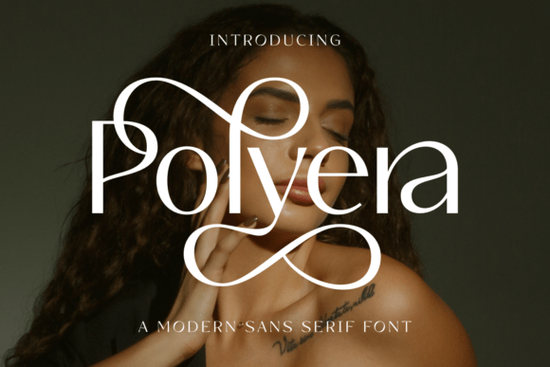
When you need a serif font that balances elegance with modern readability, Polyera Font deserves a close look. Designed for branding and display projects, it brings together minimal shapes, vintage charm, and fancy ligatures that make headlines and logos feel refined. Instead of loud embellishments, Polyera focuses on clean forms with subtle decorative touches, so your work looks sophisticated without being fussy.
Many designers wonder how to choose a serif that works for both digital and print. Polyera Font handles both well. Its thin strokes and graceful curves keep body text airy, while the ligatures add personality to titles. That blend makes it a practical choice for small businesses or print-on-demand sellers who want a consistent look across packaging, social media graphics, and product labels.
What makes Polyera Font different from other serif fonts?
Most serif fonts lean either fully modern or strictly traditional. Polyera Font mixes the two. The letterforms are minimal almost contemporary but the ligatures and swashes bring a vintage elegance. This means it can feel fresh on a minimalist brand identity and still look classy on a wedding invitation. The fancy ligatures (those connected letter pairs like “Th” or “fi”) are what give magazine covers and poster designs that irresistible allure mentioned in the product description. They draw the eye without screaming for attention.
If you are comparing serif options, you might also like Royal Serif Font for a more ornate style, or Mosswick Font if you need a sturdier serif with stronger contrast. Each has its own personality, but Polyera’s unique mix of minimal and decorative makes it stand out for modern luxury branding.
How can I use Polyera Font for branding and logos?
For logotypes, a font needs to be readable at small sizes and still have character. Polyera Font delivers because its simple silhouettes scale down without losing detail. Try using the regular weight for the main wordmark and then add a ligature version for the tagline or subheader. Many designers use it for beauty brands, boutique hotels, or craft labels where “luxury” should feel warm, not cold.
Pairing Polyera with a clean sans serif works well for body copy. And if you need a script alternative for accent words, Monday Font (a script font) can complement Polyera nicely without clashing. You can see how script pairings often lift serif designs.
Which projects benefit most from fancy ligatures?
Fancy ligatures aren’t just for looks they help create a seamless reading experience in headlines. Use them in:
- Magazine covers where each letter needs to feel intentional
- Poster titles for events, art shows, or product launches
- Quote cards for social media content that needs a high-end vibe
- Wedding stationery where elegance is non-negotiable
Polyera also works for smaller display roles like pull quotes or chapter headings in catalogs. The key is to not overuse them one or two ligatures per line keeps the design airy.
How does Polyera Font compare to other serif fonts in the same category?
Creative Fabrica has a strong collection of serif fonts. Honey Mango Font offers a bolder, more decorative serif that’s great for feminine branding. Royal Serif Font leans into high-contrast luxury with more elaborate swashes. Polyera Font sits right in the middle: modern enough for minimalist projects, yet detailed enough for traditional elegance. If you are a Print on Demand seller creating t-shirt quotes or mugs, Polyera’s ligatures give a handcrafted feel without looking messy.
For a different mood, Mosswick Font gives a strong, confident look with thick serifs. Compare the two to see which matches your project’s personality. You can find more details on Mosswick and similar alternatives.
Is Polyera Font suitable for beginners?
Yes. The font file is standard OpenType, so it works in Canva, Photoshop, Illustrator, and most design tools. The ligatures are automatic you just type normally and the font does the work. No special coding needed. For hobbyists making digital planners or crafters designing stickers, Polyera’s modern legibility makes it easy to use without extra effort.
Practical checklist before you buy
- ☐ Check the characters included – does it have the ligatures you need?
- ☐ Test with your brand colors – Polyera looks best in dark tones or metallics on light backgrounds.
- ☐ Try pairing with a sans serif like Helvetica or a light script such as Monday Font.
- ☐ Use for one main purpose – stick to display or logo use; don’t force it into long body text.
- ☐ Compare with other serifs like Mosswick Font or Honey Mango Font to be sure Polyera fits your project.
Next step: try it in a real layout
Download the Polyera Font free sample or use it in a Creative Fabrica subscription. Place it in your current project maybe a logo, a poster, or a product mockup. See how the ligatures change the feel. If it clicks, you’ve found a versatile serif that will serve you for many designs to come.
For more serif inspiration, check out Royal Serif Font for ornate alternatives and Polyera Font on Creative Fabrica. Also explore Monday Font, Mosswick Font, Royal Serif Font, and Honey Mango Font for alternatives.
Explore Design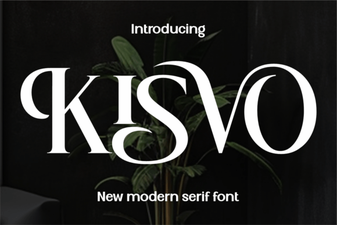 Kisvo Font for Modern, Creative Projects
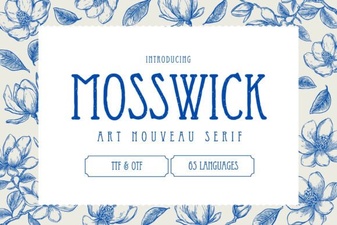 Mosswick Font for Creative Projects
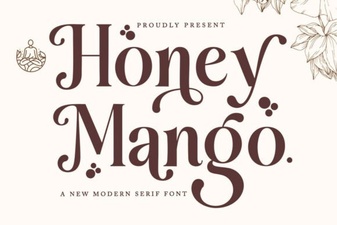 Honey Mango Font: Modern Typography for Web Design
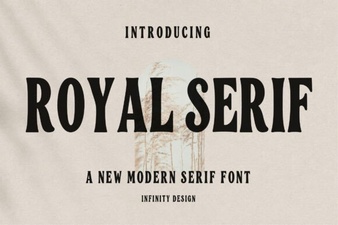 Royal Serif Fonts: Elegance in Design
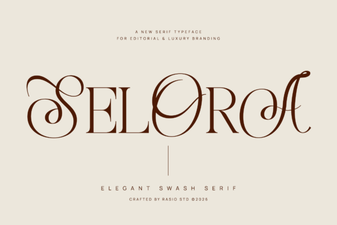 Selora Font: Elegant Display for Modern Designs
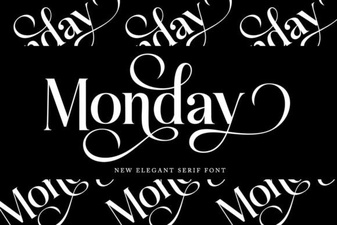 Monday Font: Typography for Creative Projects & Teams