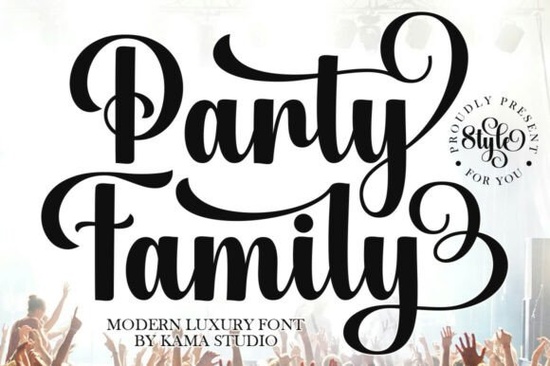
If you design wedding invitations, brand logos, or product labels, you've probably noticed how many script fonts look the same. The thin ones get lost when printed small, and the thick ones feel too heavy for elegant projects. Party Family Font takes a different approach it uses outlined letterforms with gentle strokes that keep your text readable while adding a refined, airy feel to any layout.
What makes Party Family Font different from other script fonts?
Most script fonts rely on solid fills and dramatic swashes to grab attention. Party Family does the opposite. Its outlined design creates white space inside each letter, which makes the font feel lighter and more sophisticated. This isn't a font that shouts it lets your other design elements breathe.
The letterforms are connected naturally, so words flow together without awkward gaps. The strokes have a hand-drawn quality that feels personal without looking messy. If you've worked with Brushora Font, you'll notice Party Family shares that same organic feel, but with a more delicate, refined finish that suits formal projects.
Which projects actually benefit from an outlined script font?
Outlined fonts work best when you want your text to stand out without overwhelming the rest of the design. Here are some specific uses where Party Family shines:
- Wedding invitations and save-the-dates the outlined style pairs beautifully with floral motifs and watercolor accents
- Brand logos for boutiques, bakeries, or beauty brands the elegance feels premium but approachable
- Product labels for specialty goods wine, candles, skincare, and gourmet food all benefit from the refined look
- Social media quotes and headers the font stays legible even at smaller sizes on mobile screens
- Signage for weddings or events acrylic signs, chalkboard menus, and digital displays all look elevated
For print-on-demand sellers, Party Family works especially well on apparel and home decor. An outlined script tends to screen-print cleaner than solid scripts, and it reads well on mugs, tote bags, and throw pillows.
How does Party Family compare to similar script fonts?
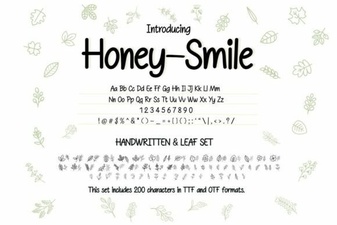
If you're building a font library for client work, you want variety without redundancy. Party Family fills a specific niche it's decorative but functional. Honeysmile Font, for example, gives you a bouncy, playful script that works for casual branding and children's products. Party Family sits at the opposite end of the spectrum with its structured elegance.
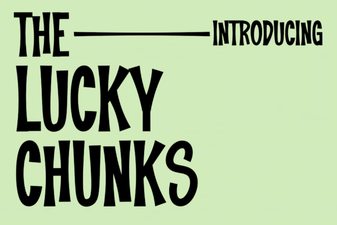
The Lucky Chunks Font offers a bold, chunky display style that's great for headlines but not suitable for body text or detailed invitations. Party Family's outlined design gives you more flexibility you can use it for headlines, subheadings, and even short paragraphs without losing readability.
Having a font like this in your toolkit means you can offer clients a sophisticated option without resorting to overused calligraphy fonts that everyone has seen before.
Can you pair Party Family with other fonts?
Yes, and it pairs well because the outlined style creates contrast naturally. Here are combinations that work:
- Party Family + a clean sans-serif use Party Family for the headline and a simple sans-serif for body text. The contrast between the decorative script and the minimal sans-serif looks modern and intentional.
- Party Family + a serif font for a classic, editorial feel. The serif adds weight and authority while Party Family provides the elegance.
- Party Family alone with varied sizes use the font at different scales for hierarchy. Large for the main message, smaller for secondary details. The outlined design keeps it all cohesive.
When pairing fonts, keep the mood consistent. Party Family leans formal and refined, so pair it with fonts that share that tone. Avoid pairing it with overly casual or distressed fonts unless you're going for a deliberate contrast.
What should you check before using Party Family in a project?
Before you commit to this font for a client project or product line, consider these practical points:
- Size matters. Outlined fonts need enough space to read well. Test Party Family at the actual size you'll use it if you're printing on a small label, make sure the letters stay clear.
- Background contrast. White space inside the letters means the background shows through. Busy backgrounds can make the text hard to read. Stick with solid or subtle gradient backgrounds for best results.
- File format. Party Family comes in standard formats that work with major design software. If you use Cricut or Silhouette for physical projects, verify the font supports the features you need (like kerning and ligatures).
- Licensing. Always check the license terms for commercial use. Script fonts often have different licensing tiers, especially for print-on-demand and merchandise.
Your next step with Party Family Font
If you're ready to try Party Family in your next project, here's a quick checklist to get started:
- Download the font and install it on your system
- Open your preferred design software and type a few words at different sizes
- Test the font on a dark background and a light background
- Pair it with a simple sans-serif to see how the contrast looks
- Save a test file and print it (or export it for web) to check readability at production size
Start with one project maybe a single invitation or a logo concept and see how the font performs. Once you see how easily it elevates a layout, you'll find yourself reaching for Party Family whenever a project calls for understated elegance.
Try It Free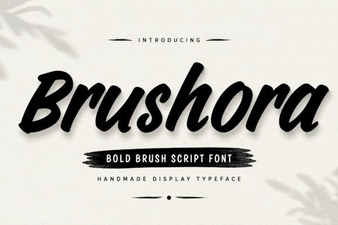 Brushora Font: Design Projects & Creative Uses
 Bring Your Designs Luck with the Lucky Chunks Font
 Honey–smile Font: a Warm & Friendly Typeface for Designers
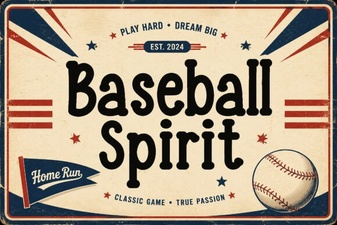 Designing with the Baseball Spirit Font Style
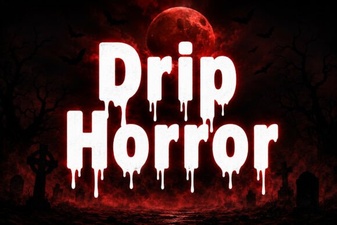 Drip Horror Font for Creative Design Projects
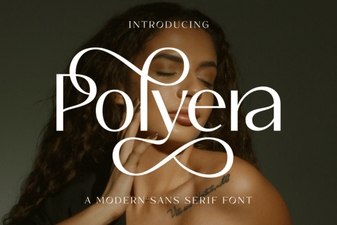 Polyera Font: a Futuristic Design Resource